- Explain what the code above does.
The code will display a button. When the buttion is clicked, a floating alert window will be displayed.
-
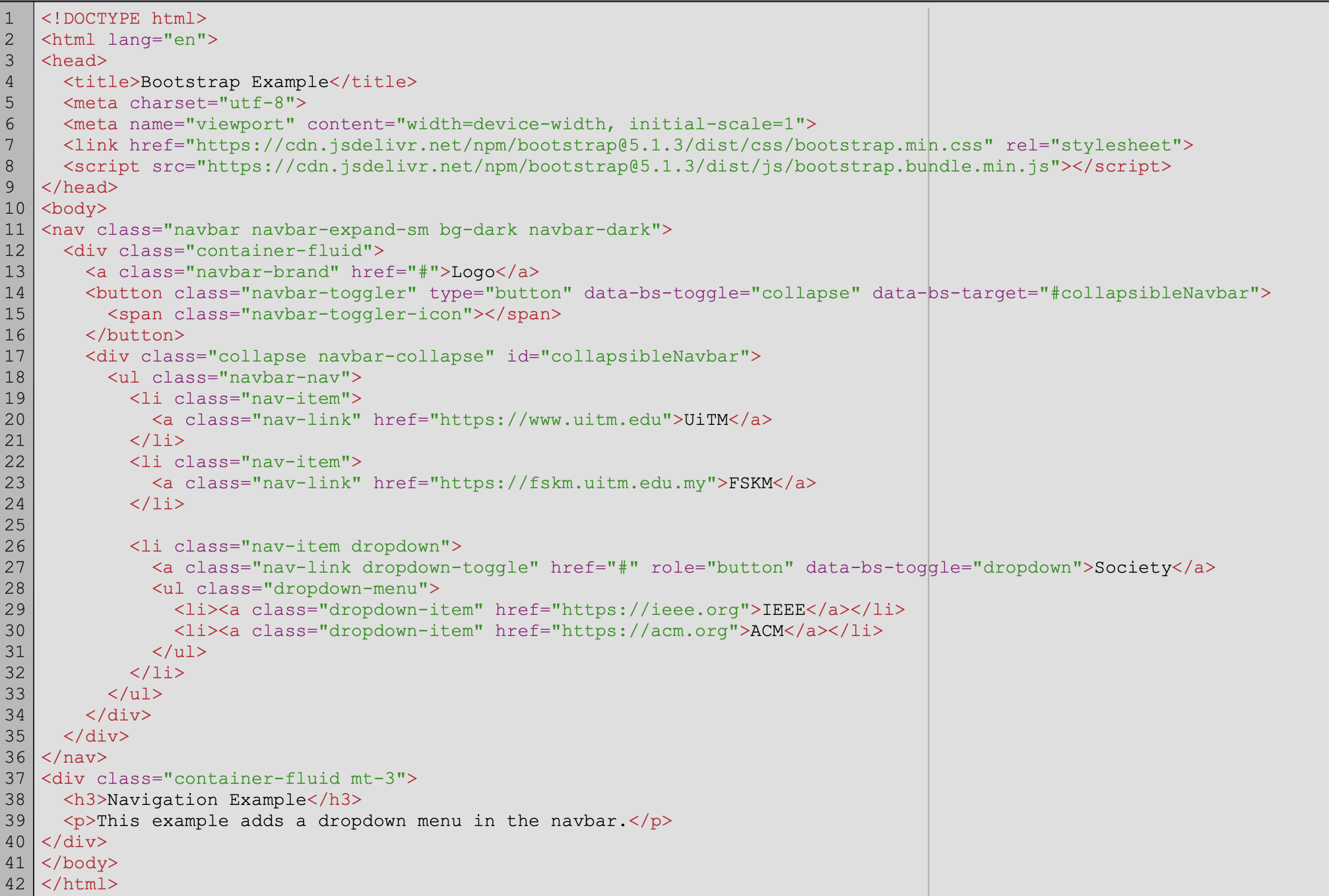
Navbar in Bootstrap is useful to create our own menu. Using instruction of Navbar with dropdown at https://www.w3schools.com/bootstrap5/bootstrap_navbar.php# recreate the following. You can put the link for UiTM as https://uitm.edu.my IEEE as https://ieee.org ACM as https://acm.org FSKM as https://fskm.uitm.edu.my
-
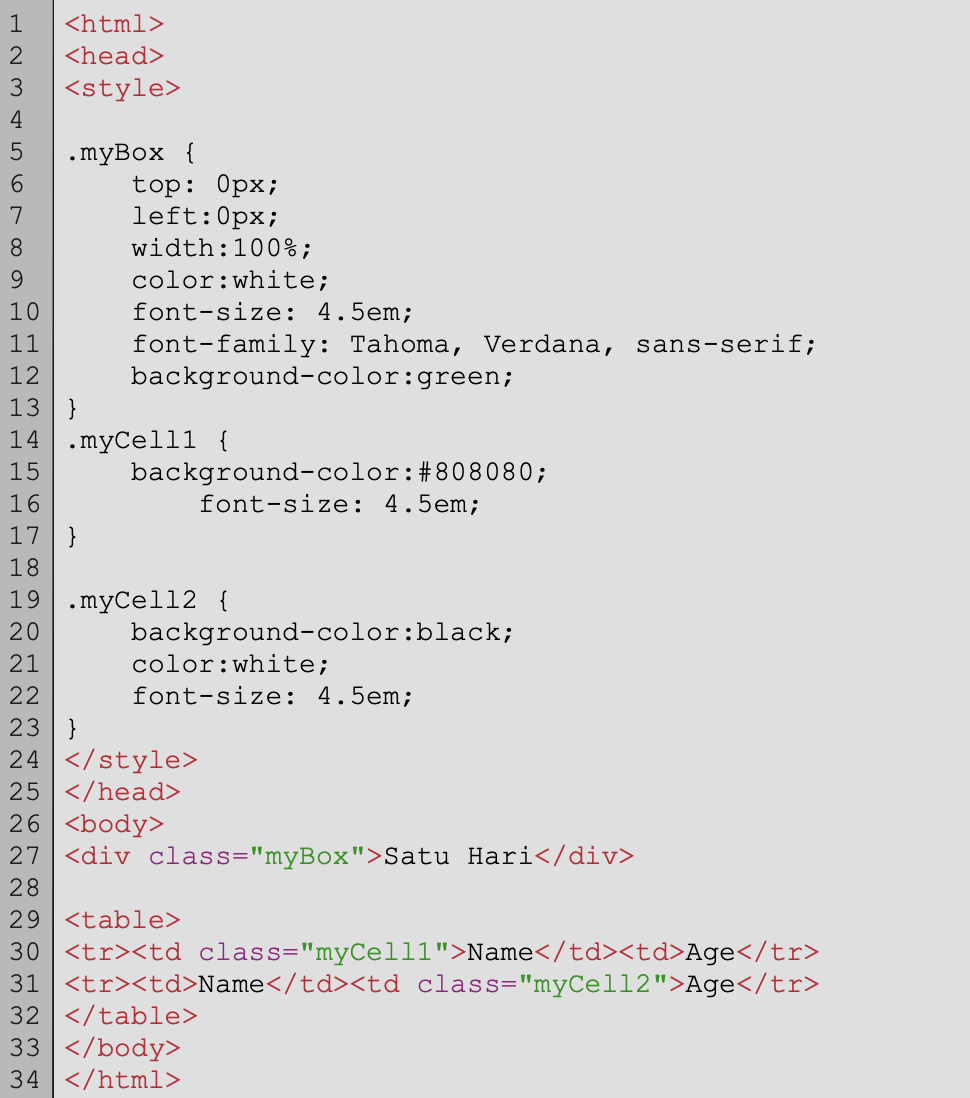
Create the following file and describe what does it do.
The program define a css style with the name myBox. The style include font size, type and color. The style is applied to a div tag causing it to produce a text of "Satu Hari" with Green background.
This program also has a table with Name and Age with value of Ali and 23 respectively.
-
Modify the above code so that we can add the following colors to the table. We can create to additional style and apply to the cells as follows:
-
Create the following code. And explain what it does.
The program takes two values for textfield (n1 and n2). If the user clicked the button with id "btn" a function named "eval" will be called. In the eval function, the textfield value will be read and put in variable a and b. A division of a/b will done with value stored in c. If the division result in value bigger than 1, a phrase "Increasing" will be displayed at a div section with id ="board". If the division result in value smaller than 1, a phrase "Decreasing" will be displayed at a div section with id ="board". If any other value is obtained, a phrase "Stall" will be displayed at a div section with id ="board".
|